This post extends the previous post Setting up Revenue Cloud – A walk through to assets and subscriptions, by taking a closer look at the data model used to track asset lifecycle history and how this can be used to manage the revenue activities associated with our subscription products and services represented by the asset.
The Asset data model and related objects are shown in the figure below:
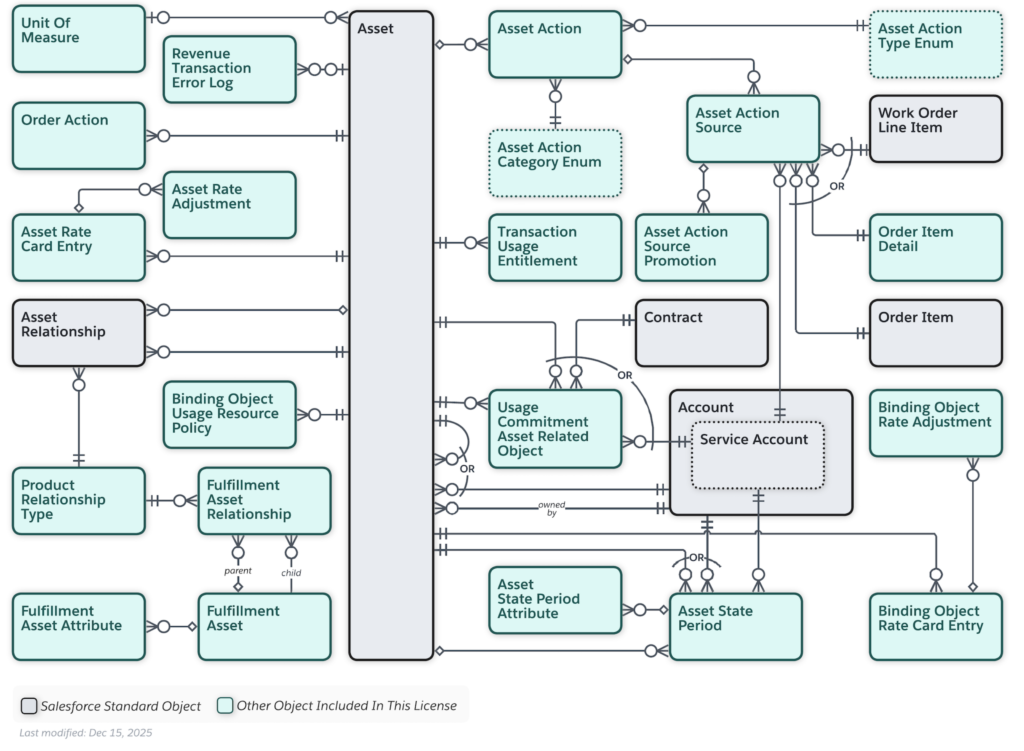
and we will highlight changes tracked by the following Objects:
- Asset Action
- Asset Action Source
- Asset State Period
and key data fields within these objects.
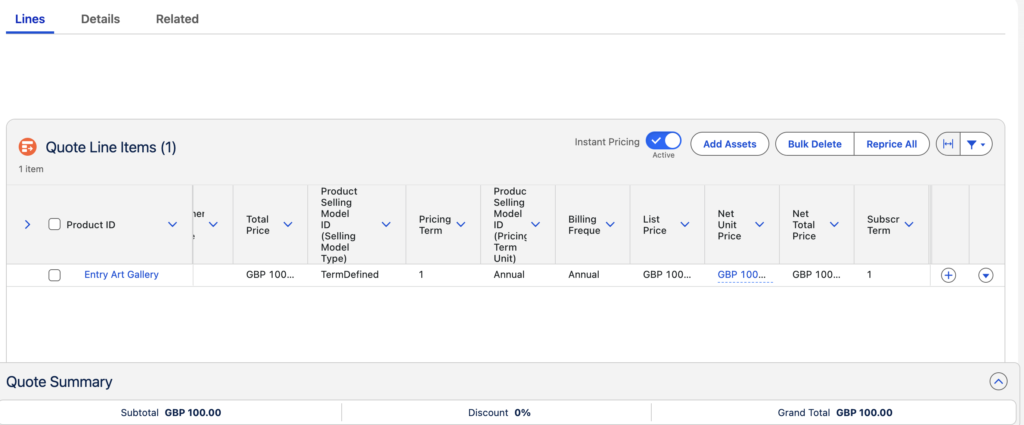
Let start with a simple subscription product, Entry Art gallery, with a yearly recurring product selling model and price of £100.
We create our Quote with Quote Line Item:
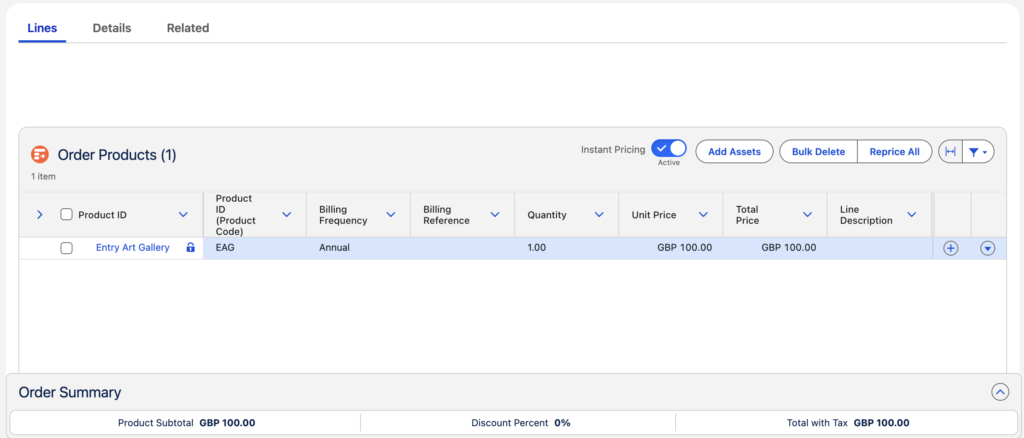
From this we create our Order with Order Product:
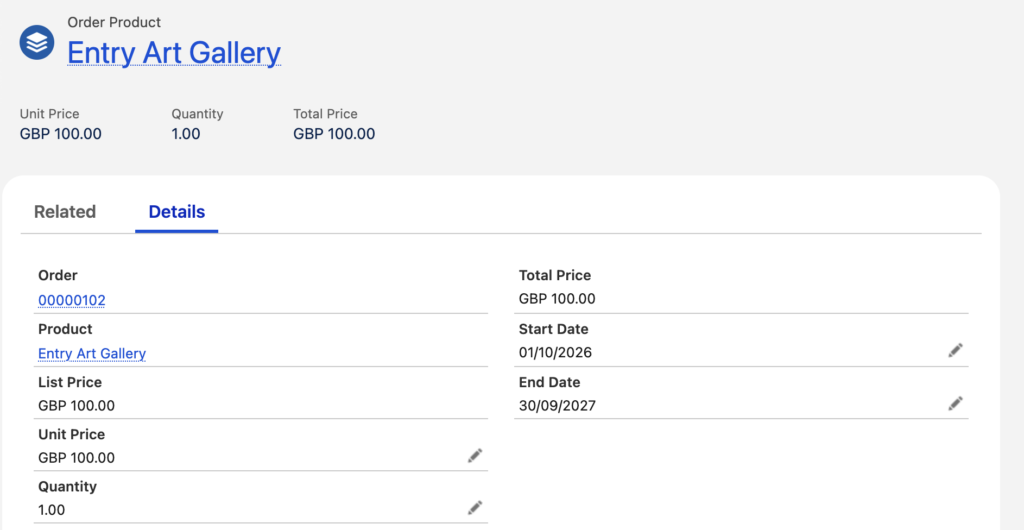
The Order Product has Start Date and End Date which defines the subscription period:
We activate our Order which will create the Asset record associated with our subscription against the customer Account record.
From our Account and the the related Asset view we can inspect our subscription:
- Monthly amount
- Total lifecycle amount
- End Date
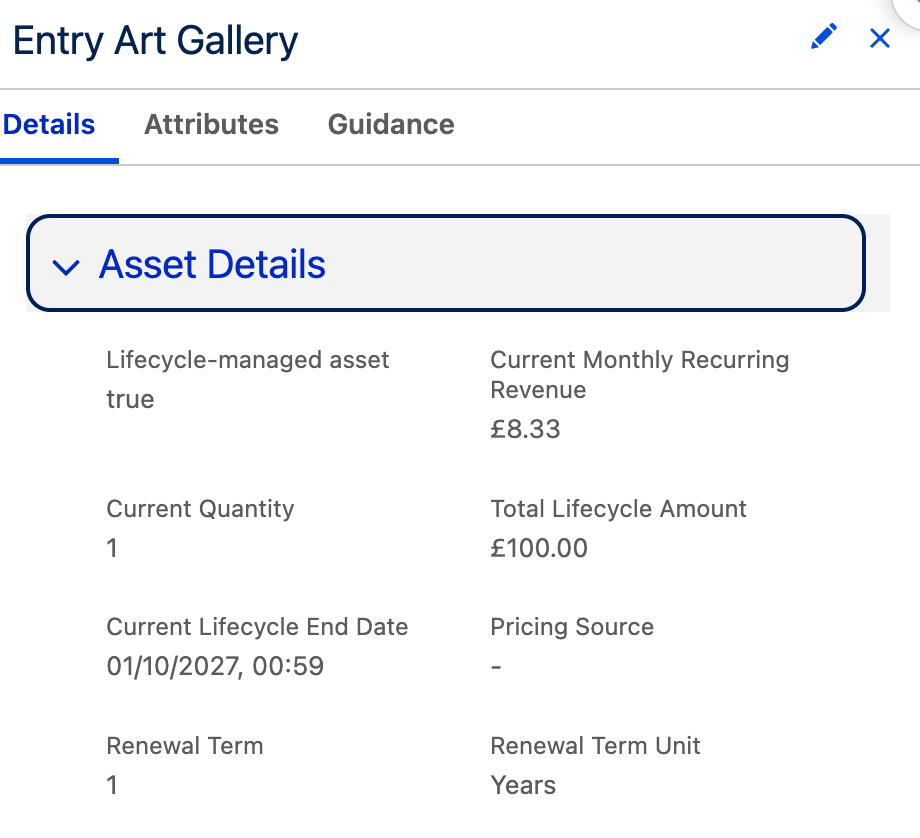
and our Asset record shows:
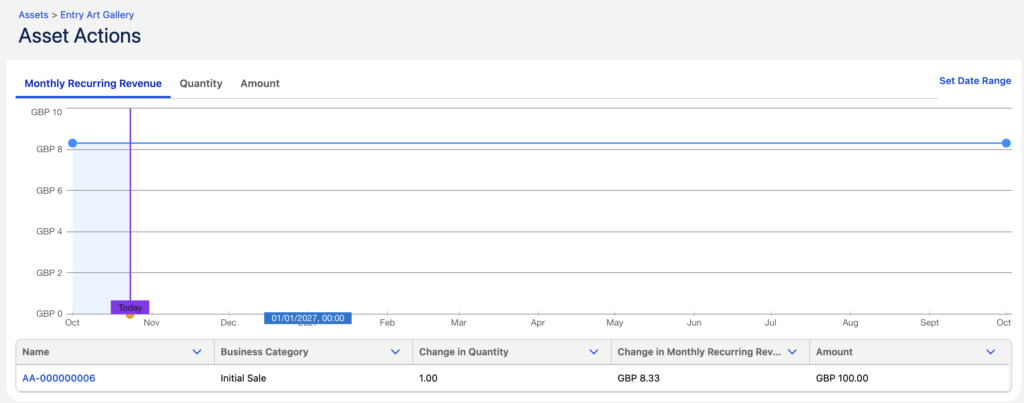
If we dive into the date model associated with our Asset record we can see:
Asset Action
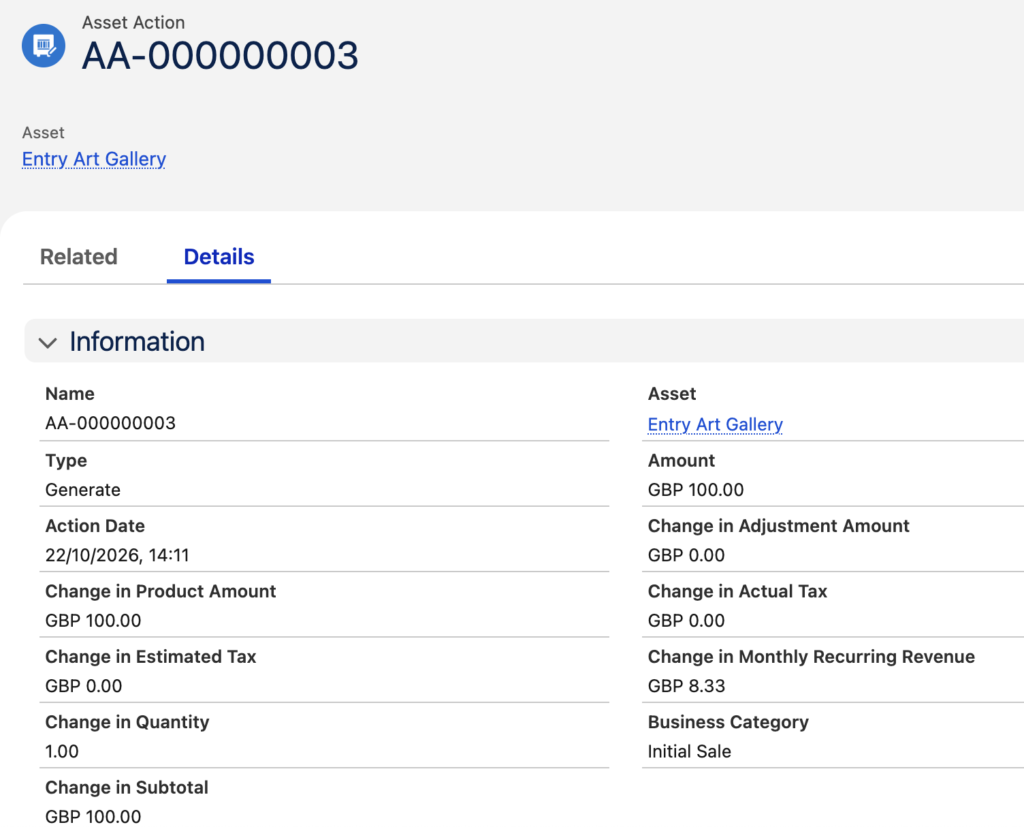
Note the following fields
- Business Category with a value of ‘Initial Sale’
- Type with a value of ‘Generate’
- Change in Monthly Recurring Revenue with a value of ‘8.33’
Asset Action Source
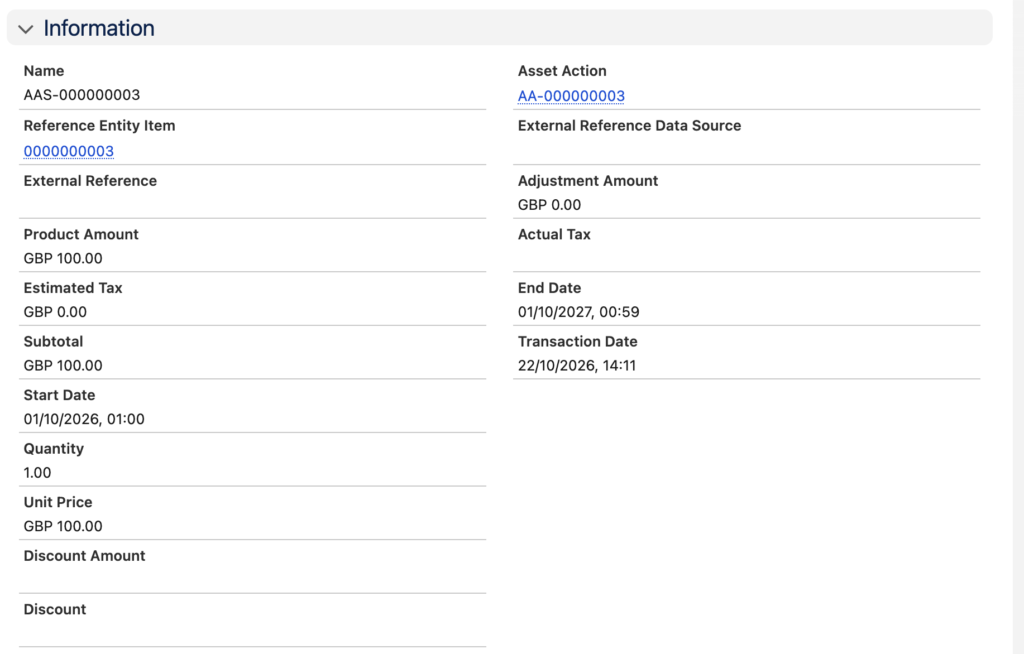
Asset State Period
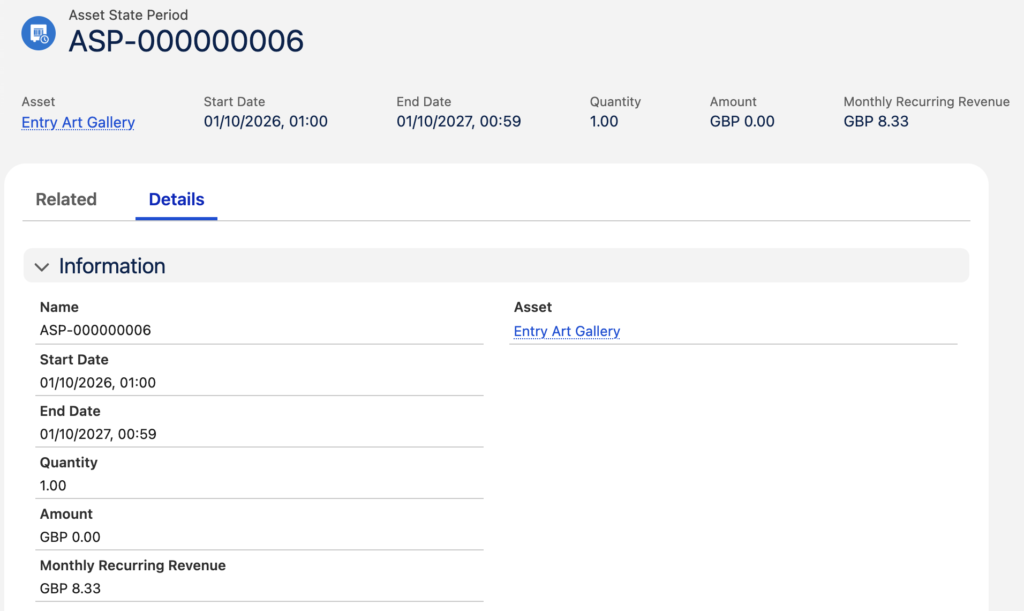
Note the following fields
- Start Date with a value of ’01/10/2026′
- End Date with a value of ’01/10/2027′
If we now perform a change to our subscription through the amendment function against the Asset and discount the price of the subscription product by 10% in the amendment quote:
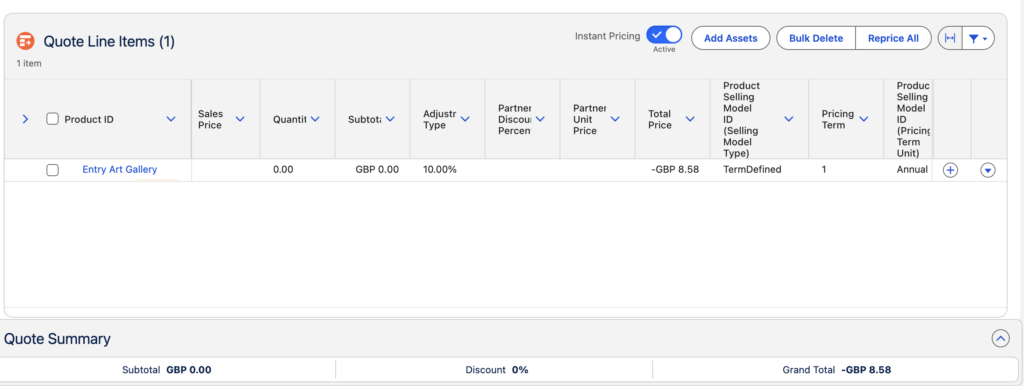
we can see how that change is reflected in our data model with the following new related records:
Asset Action
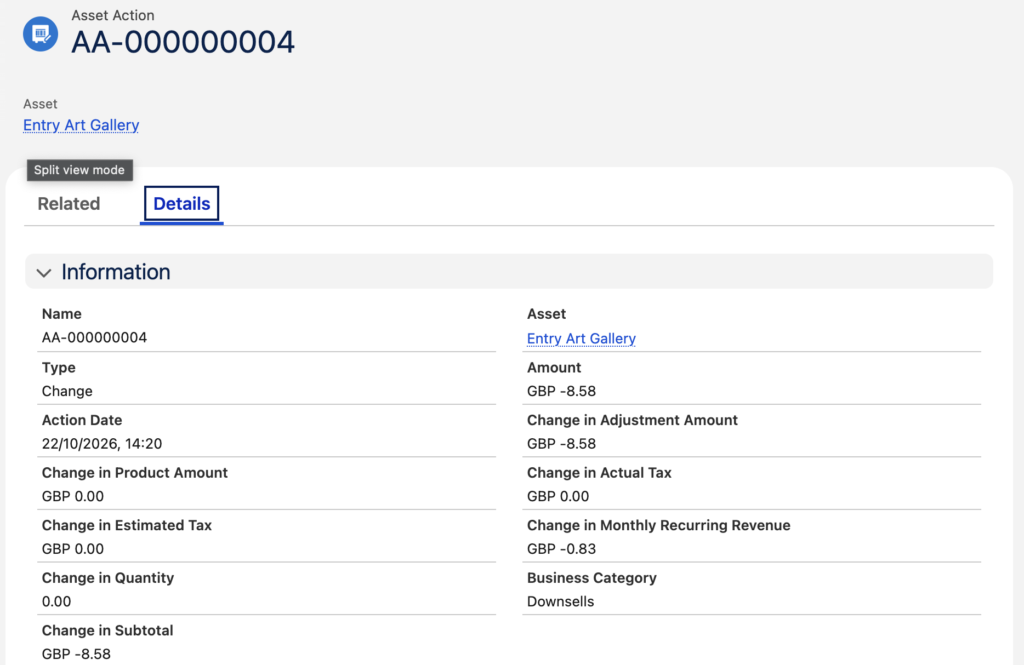
Note the following fields:
- Business Category with a value of ‘Downsells’
- Type with a value of ‘Change’
- Change in Monthly Recurring Revenue with a value of ‘-0.83’
- Change in Quantity with a value of ‘0.00’
Asset Action Source
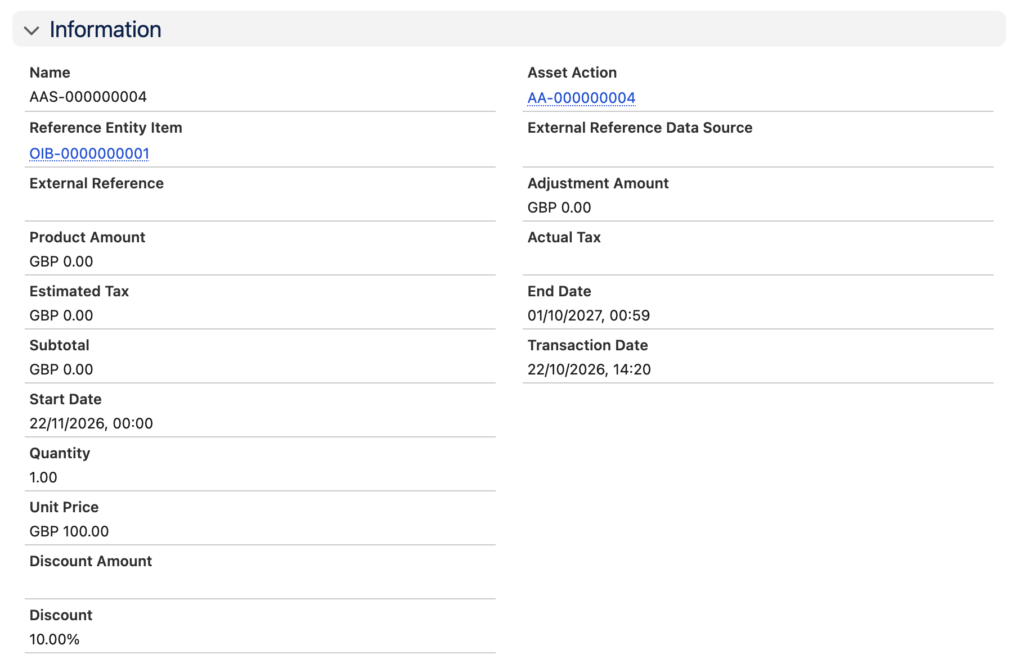
Note the following fields:
- Discount with a value of ‘10.00%’
Asset State Period
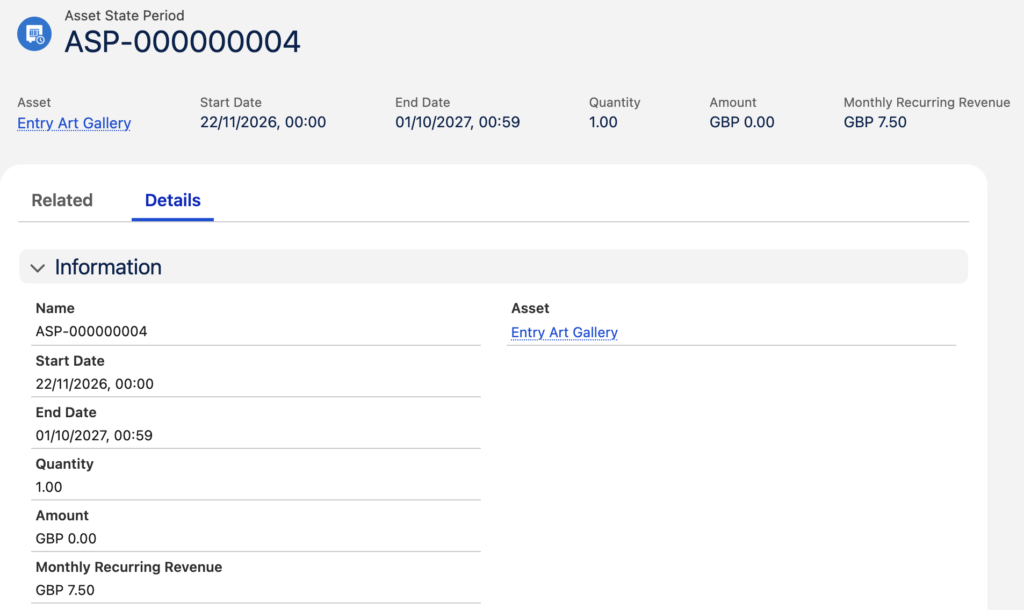
Note the following fields:
- Start Date with a value of ’22/11/2026′
- Monthly Recurring Revenue with a value ‘7.50’
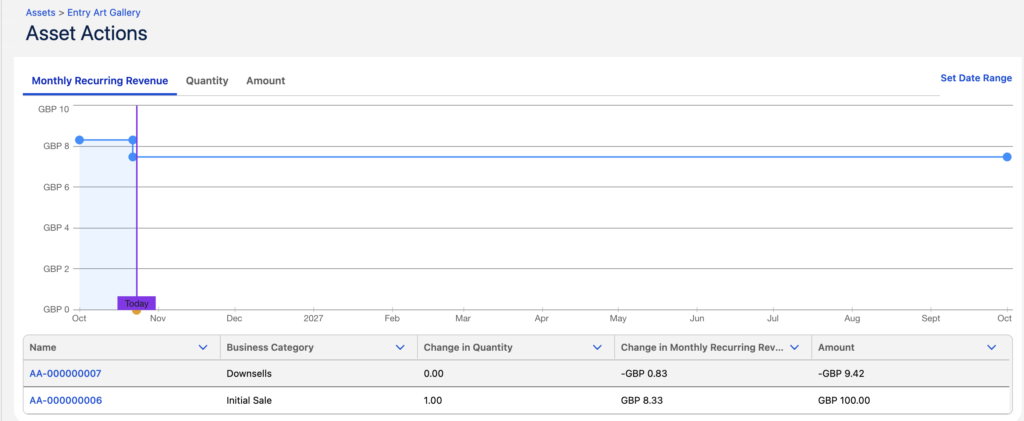
And these changes are reflected in our Asset view
If we now perform a renewal function against the asset ie we are renewing our subscription at the end of the initial subscription period we can see how that change is reflected in our data model:
Asset Action
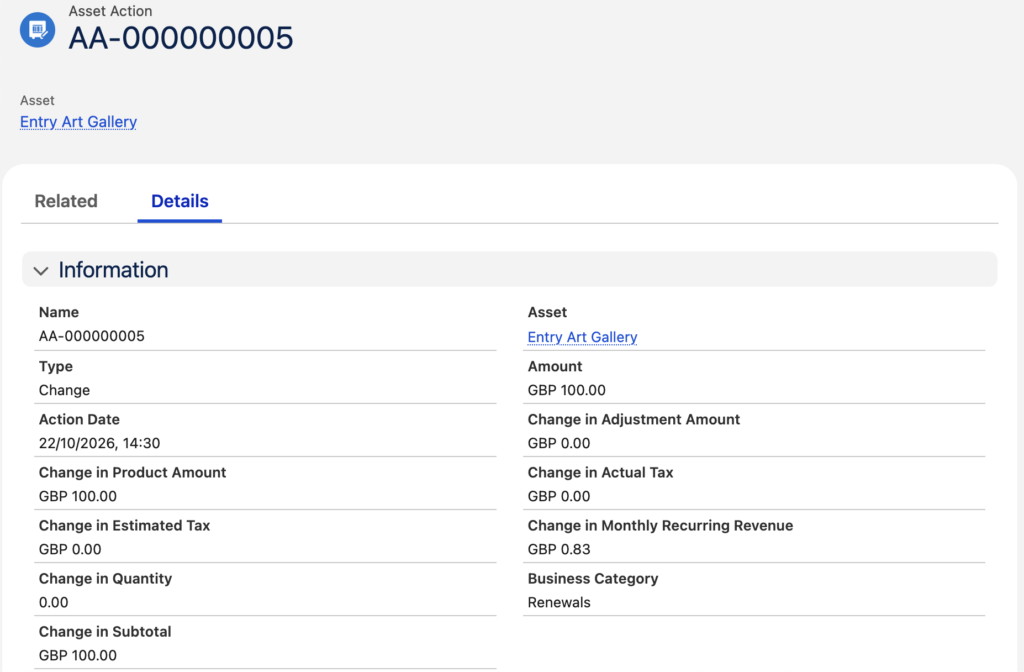
Note the following fields:
- Business Category with a value of ‘Renewals’
- Type with a value of ‘Change’
- Change in Monthly Recurring Revenue with a value of ‘0.83’ – We are renewing with the product list price, not the previous discount
- Change in Quantity with a value of ‘0.00’
Asset Action Source
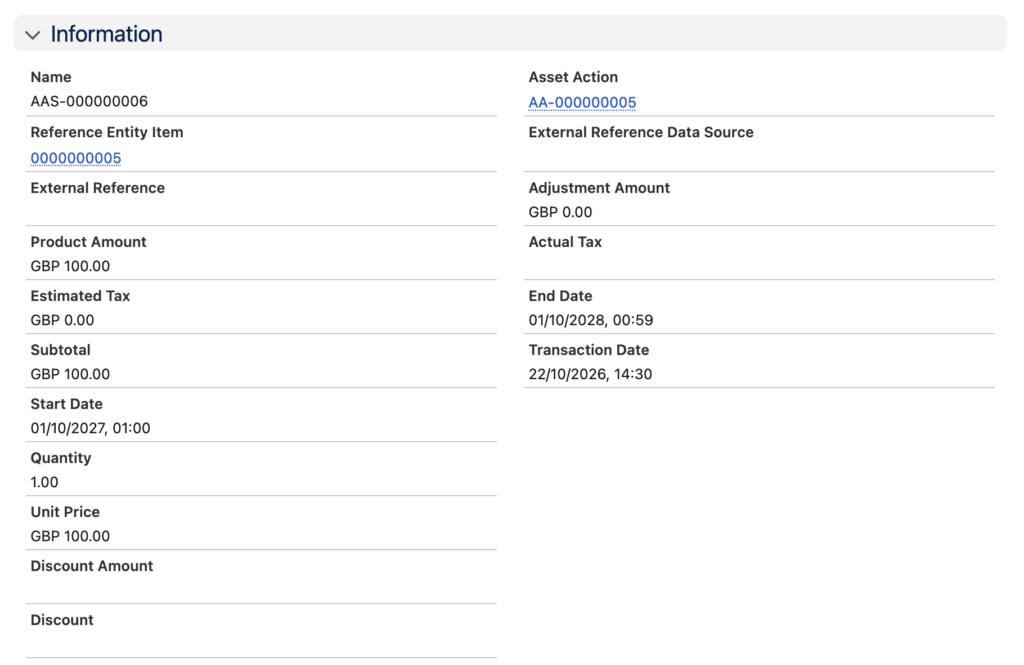
Asset State Period
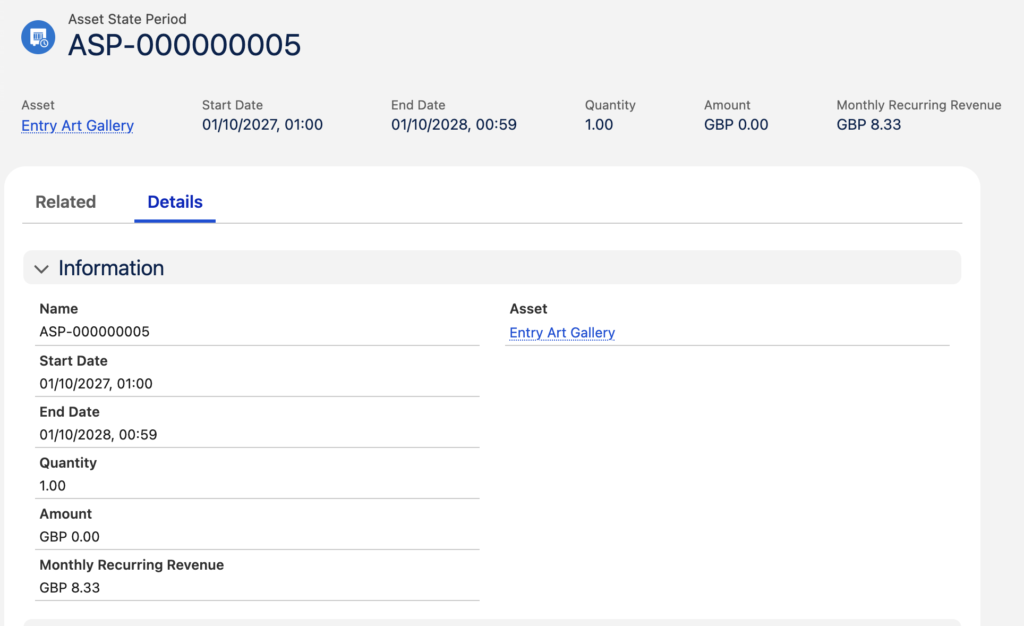
Note the following fields:
- Start Date with a value of ’01/10/2027′
- End Date with a value of ’01/10/2028′ – our renewed subscription period.
And these changes are reflected in our Asset view
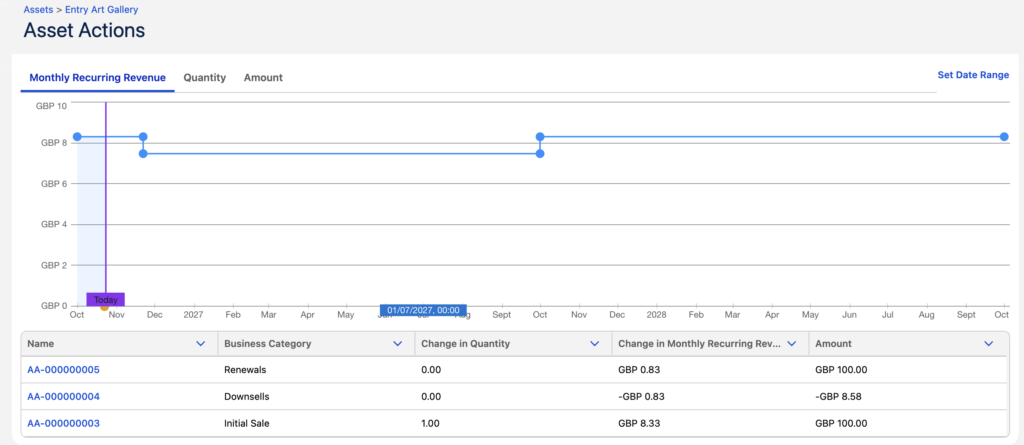
Using these Asset associated data records and the changes which are recorded we can report on our subscription revenues as their lifecycle progresses and drive the associated workflow activities such as updates to our billing system based on downsell or renewal events.