This post extends the previous posts Setting up Revenue Cloud – A walk through to assets and subscriptions and Revenue Cloud & Revenue Lifecycle Management to demonstrate how separate subscription assets with separate start and end dates can be aligned and co-termed with a common end date.
By setting up two separate subscription services with their own start and end dates we arrive at the situation shown below where we have 2 separate assets against the account record with different lifecycle dates
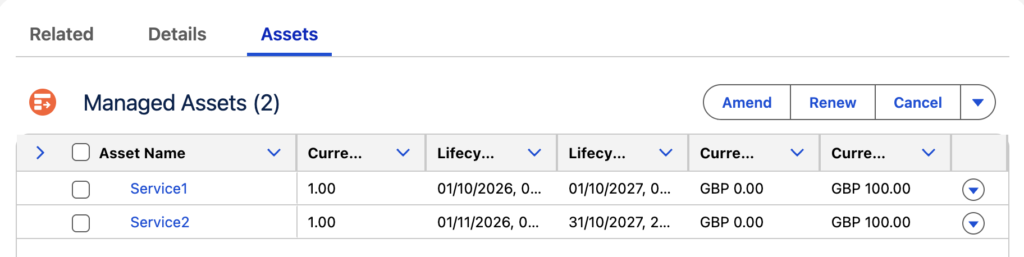
Service1 is renewable on 01/10/27. At this point in time we would like to also renew Service 2 and align its end date with Service1 and so produce a common end date of 01/10/2028.
To do this we select the check box next to each asset and select the Renew function. We are then prompted whether we wish to automatically renew around the current dates or if we wish to override the renewal term. By selecting the latter item we are prompted for a start date and end date which will apply to the selected assets.
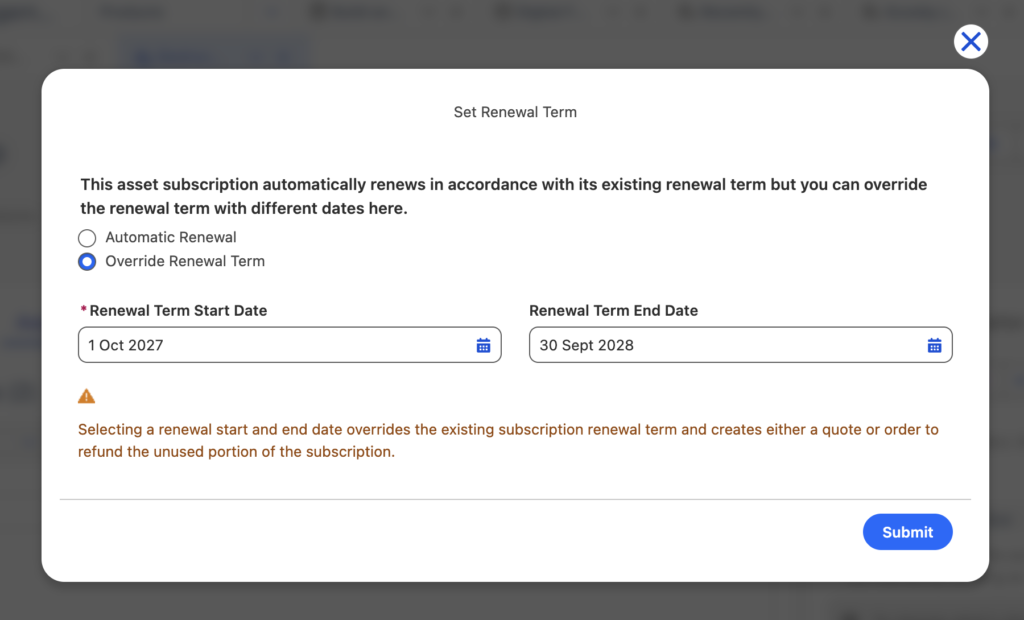
As indicated in above screenshot we will then generate a quote which will calculate any unused portion of a subscription and adjust the price quoted accordingly as shown below for Service2 [We are reducing the amount due by 1 month]:

On Order activation this then updates our asset view as follows:
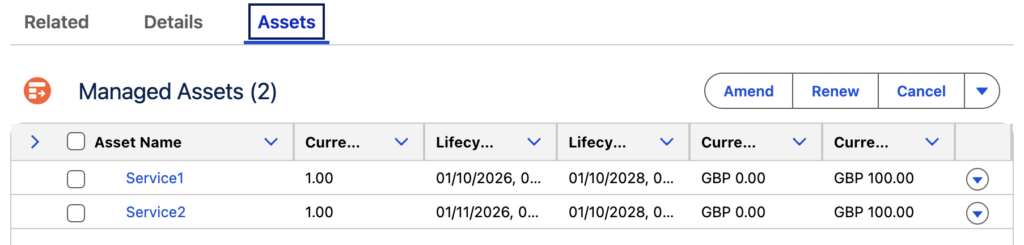
So we can see the lifecycle end date of both subscription products has been co-terminated to 01/10/2028.
The Asset details view for Service2 also shows the amended Total Lifecycle Amount after the removal of the 1 month:
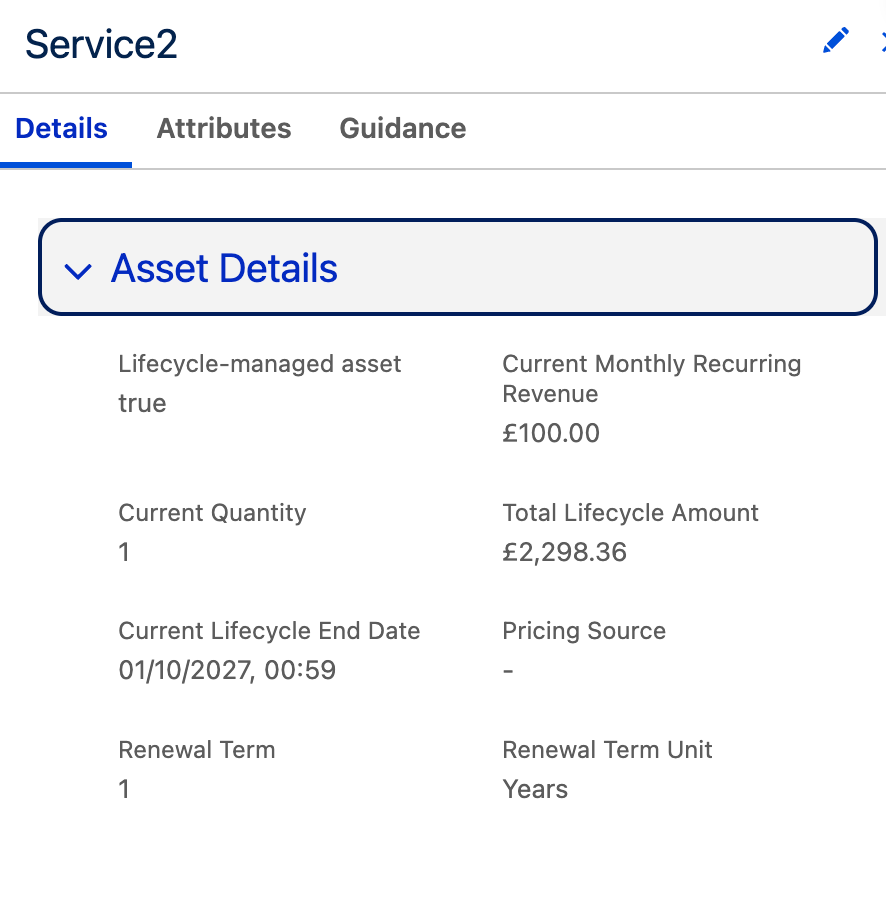
NB because the Selling Model of the product is Yearly Recurring with a pricing term unit of 1 Year, the prorated amount calculated is based on the number of days to be billed within the 365 day year, instead of number of months.
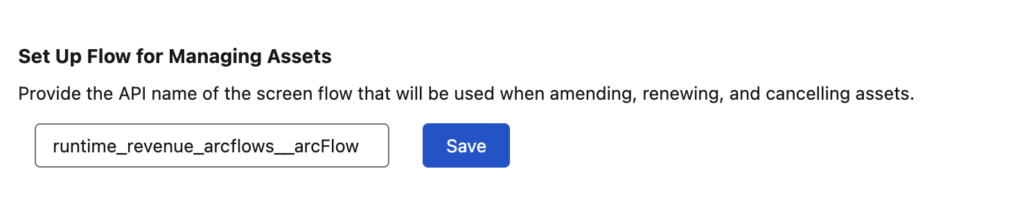
Taking a closer look under the hood of Revenue Cloud in Revenue Settings we can see the Flow that is used when renewing assets:
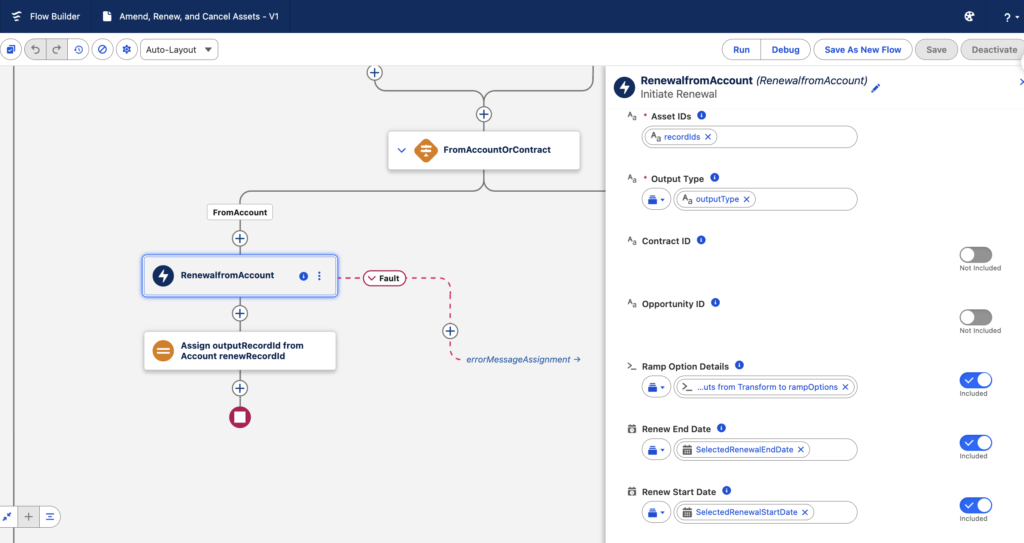
Inspecting this Flow shows how it calls the invocable action, Initiate Renewal:
We can see from the Revenue Cloud developer documentation that this action calls the api, InitiateRenewal, which takes a list of assets and performs the renewal operation with specific renewStartDate and renewEndDate.
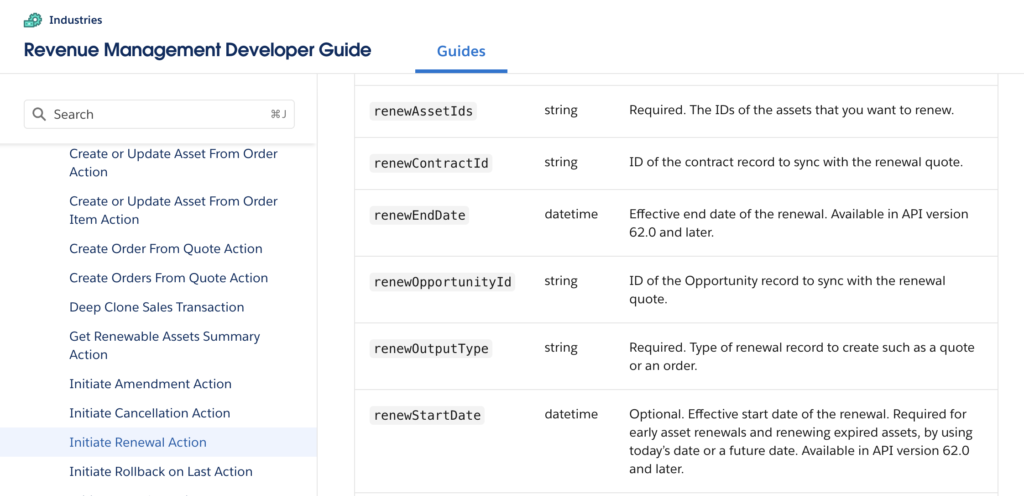
This is a good example of the headless api nature of Revenue Cloud. Using the api we can perform the above function through a custom UI or custom automation as required.