This post takes a look at how Revenue Cloud manages prorating for term based selling models where partial periods are generated as a result of the term start and end dates.
If we take a look at our Entry Art Gallery product which has a list price of £20 per month and we setup
- start date – 04/11/20206
- End date – 31/12/2026
and we create a quote line as follows:

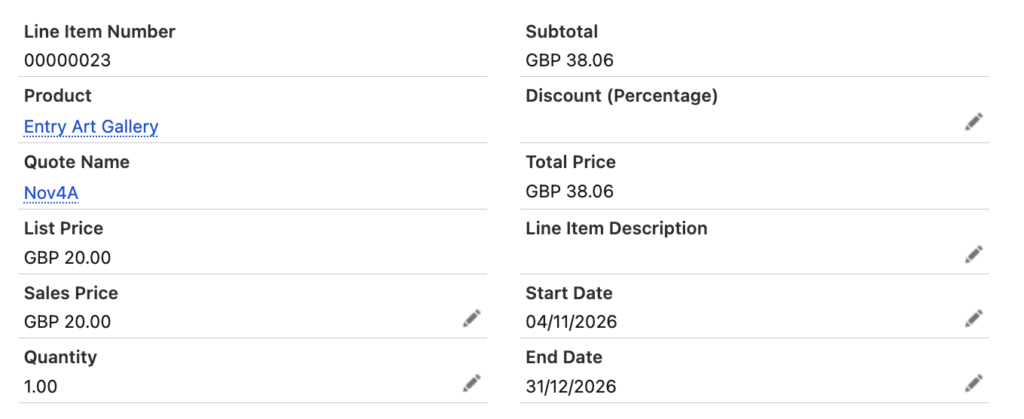
We see that the total price has been prorated for a partial month. This is calculated on a monthly days basis ie. Price x ( Days used ) / (Total days in period)
So our total amount:
= £20 + ((28/31) x £20)
= £38.06
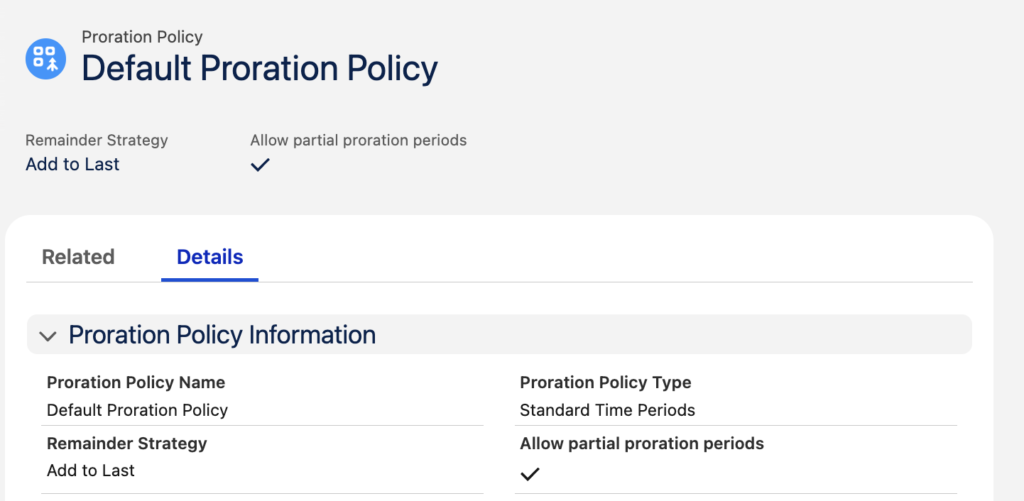
This proration rule is governed by the Default Proration Policy record which is system defined as follows with the Allow partial proration periods checked:
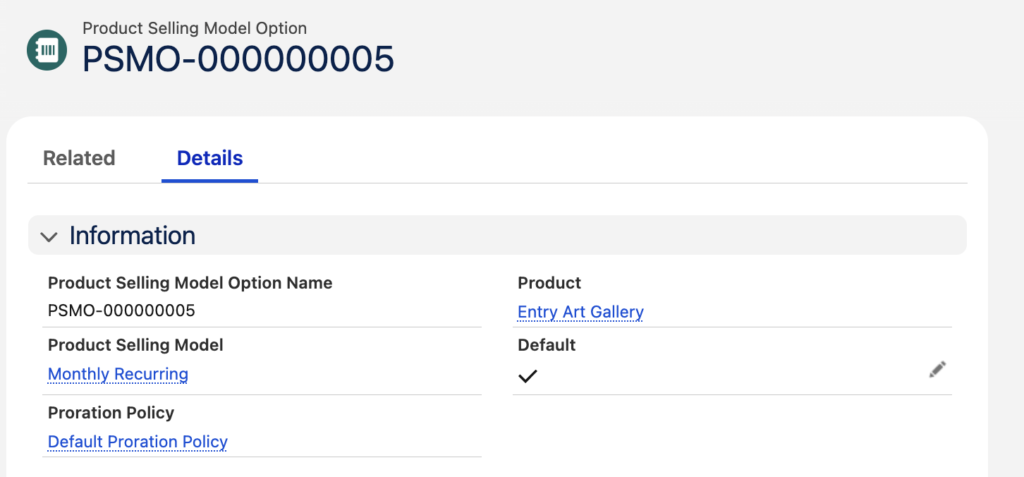
When a product selling model is configured against a product the Proration Policy is also configured and by default uses the Default Proration Policy record:
To configure a product with selling model where proration does not take place requires another Proration Policy record to be setup where Allow partial proration periods is not checked:
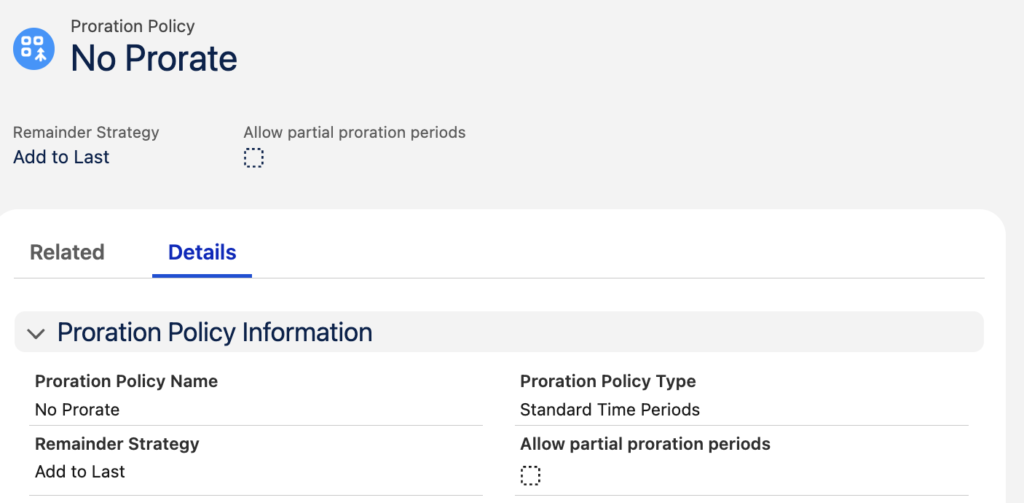
When the product selling model is configured for the product this Proration Policy record is selected instead of the default:
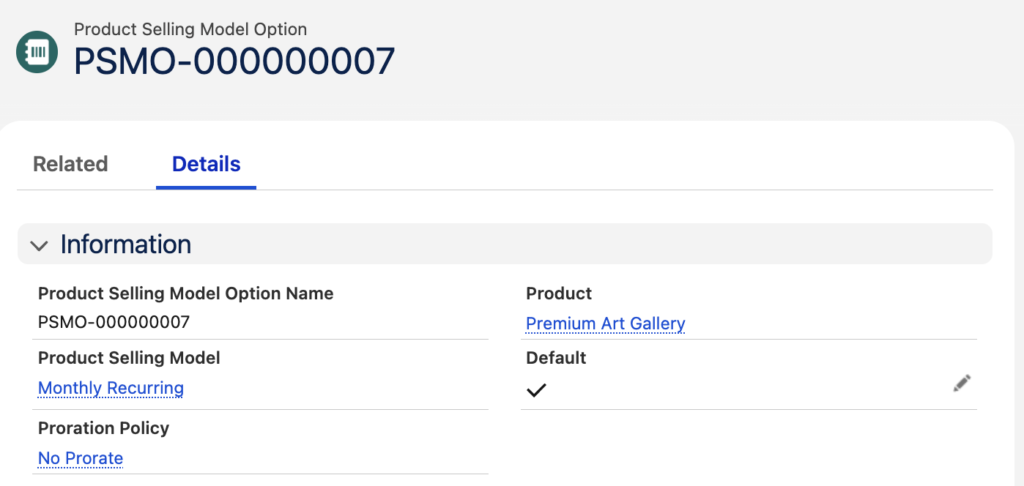
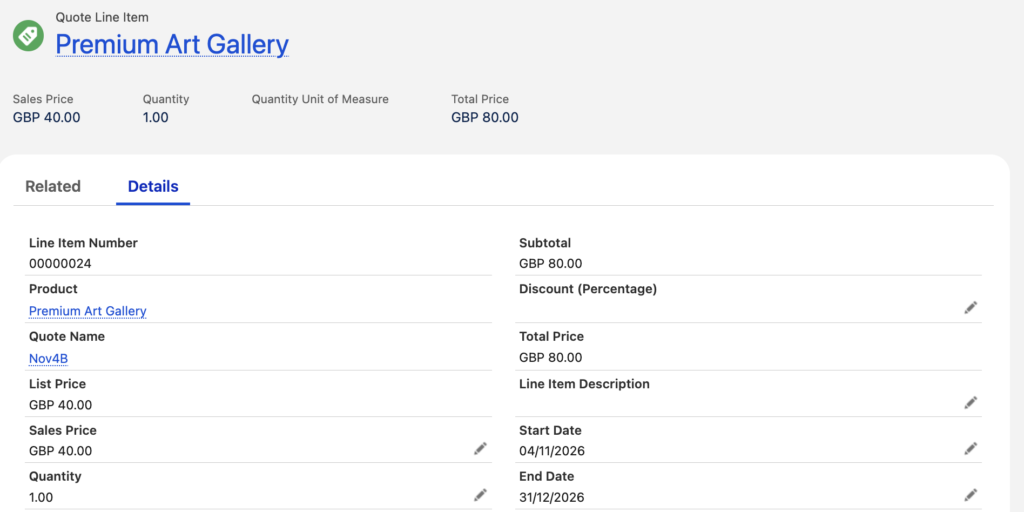
If we apply this to our Premium Art Gallery product with the same date range as above and a list price of £40 per month we see a total price of £80 ie. calculated for 2 complete months with no proration taking place.

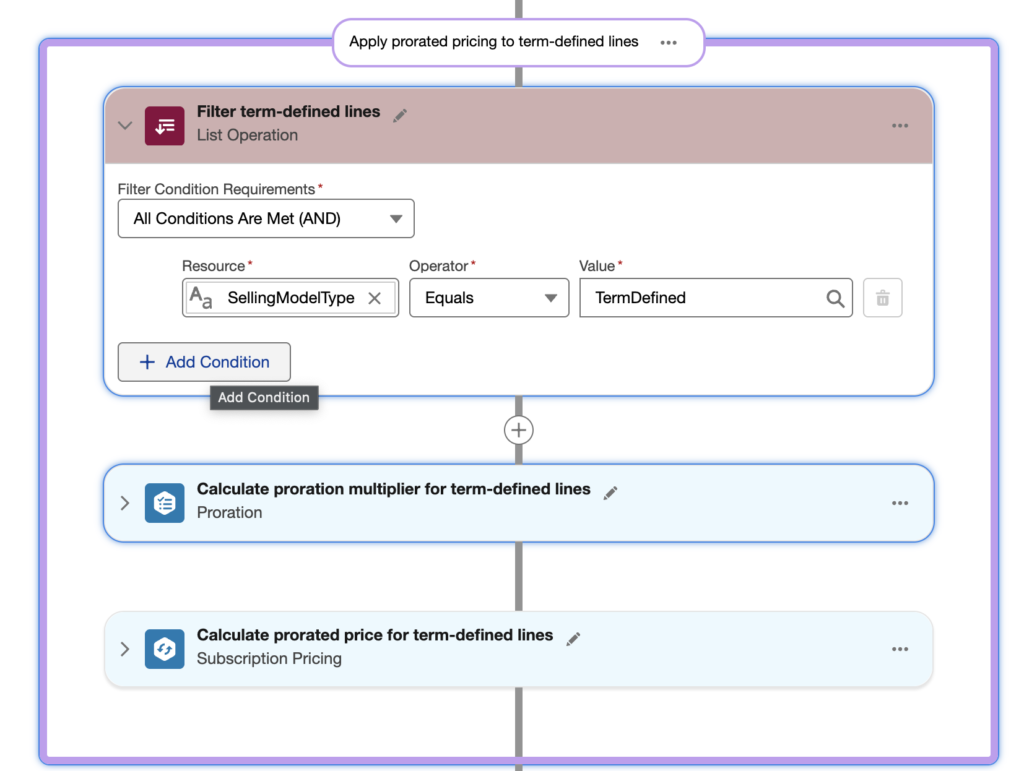
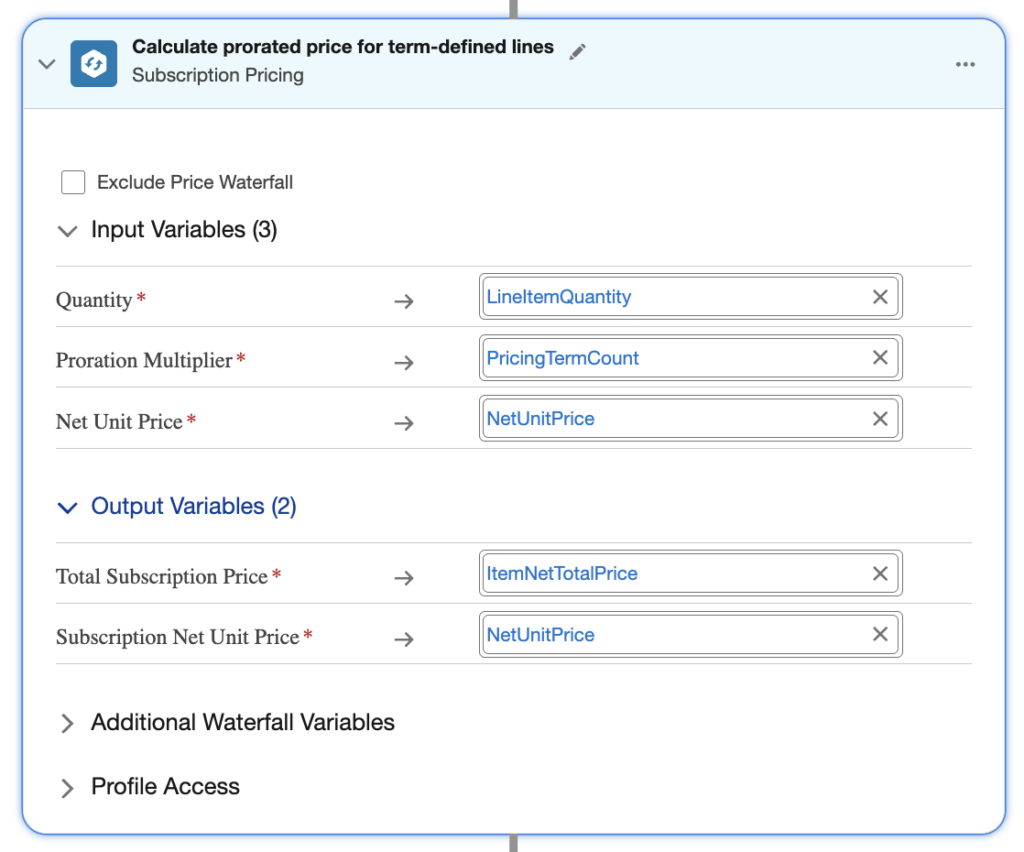
The specific proration pricing calculations are managed in the pricing procedure using the elements:
- Proration
- Subscription Pricing
Proration uses the inputs shown below to arrive at a Proration Multiplier:
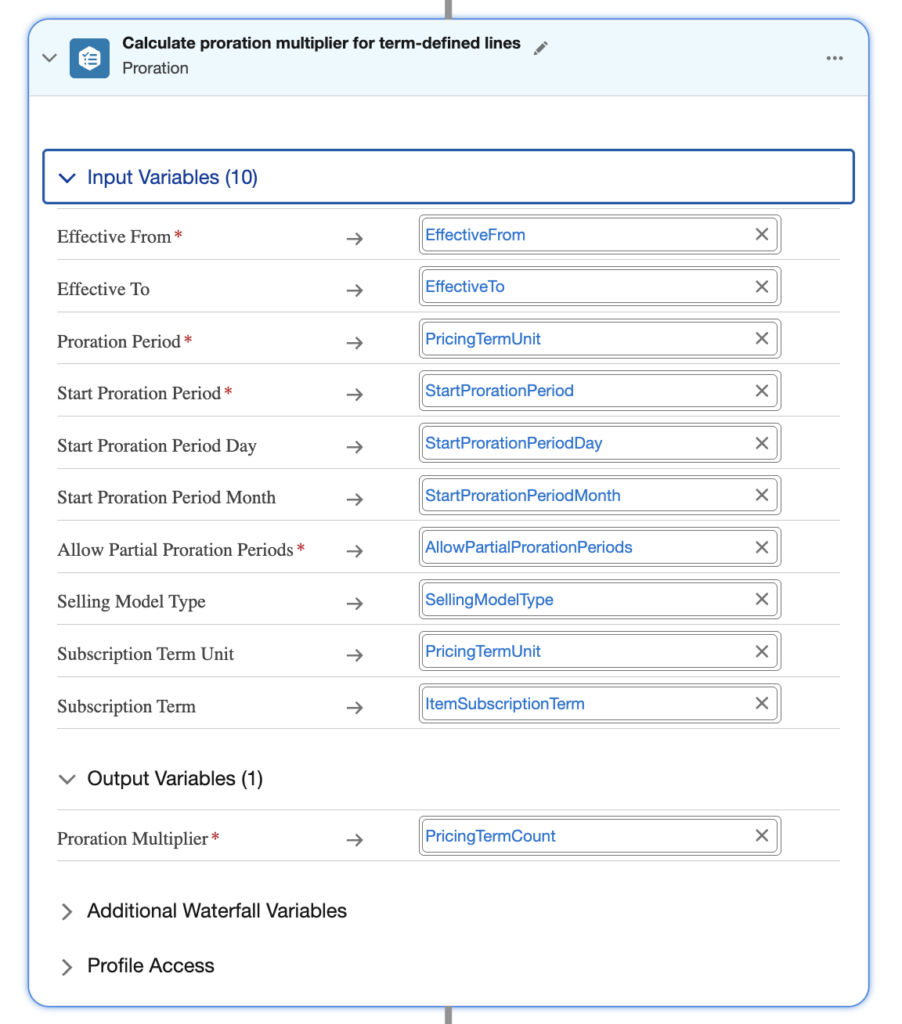
The Proration Multiplier is then applied to the subscription pricing calculations:
If a custom proration calculation is required the standard proration element would be replaced with a custom mechanism such as a web hook to calculate the required Proration Multiplier.