This post continues our series on Unpacking the Revenue Cloud Pricing Procedure by taking a look at derived pricing.
Derived pricing is used where we have a product on our quote which does not carry a price itself. Instead the product quoted price is derived from one or more other products on the quote or the from the total quote value.
A simple example is where we have our Digital Frame product and we want to add a Support product which is priced at a percentage of the total price of the Digital Frame products on our quote.
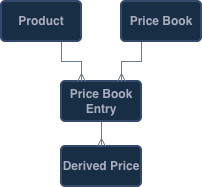
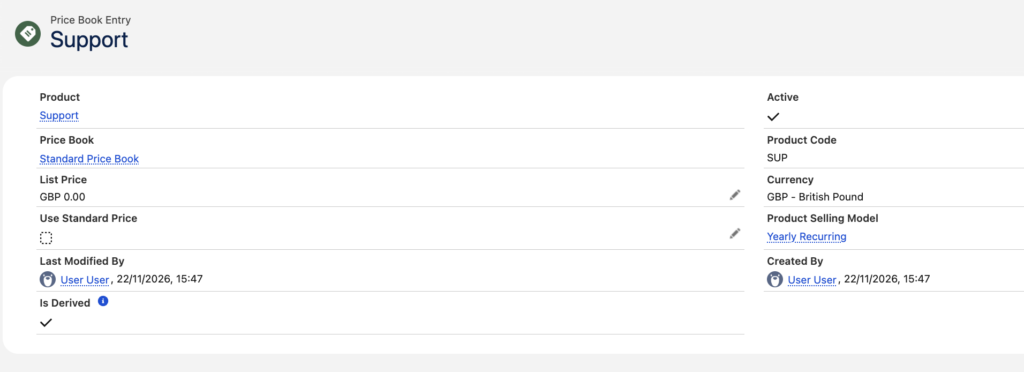
To set this up we configure our Support product record and then we setup our Price Book Entry for this product, but in the case of a derived price product the list price is set to £0 followed by creating a related Derived Prices record which contains the details of how the derived price is determined.
The object model for this is shown below
And the Price Book Entry record is setup as follows:
Our Derived Prices record is then configured as shown:
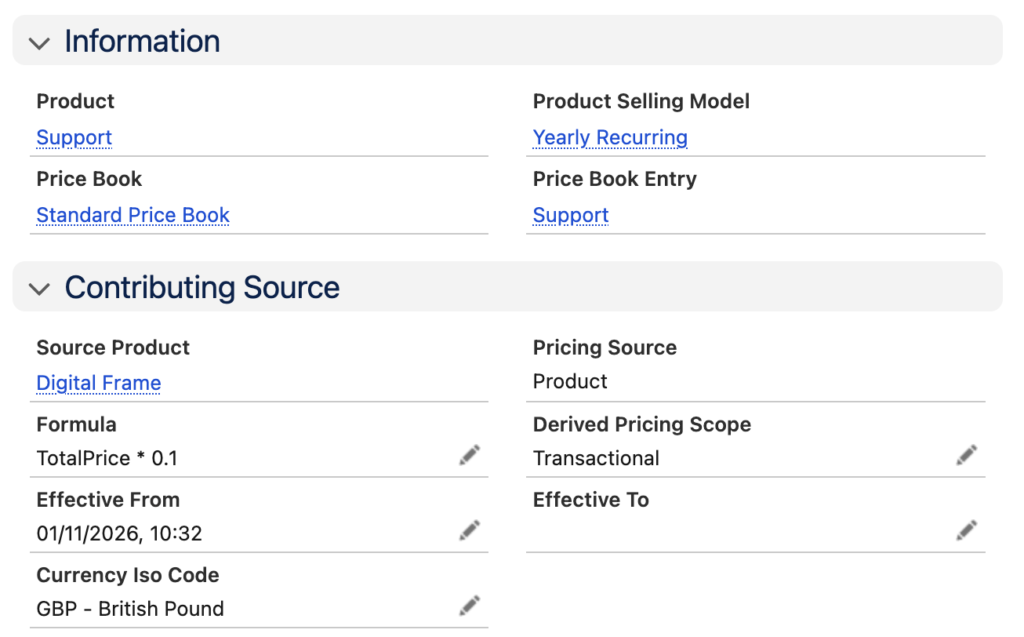
On this Derived Price record we set the source of the derived pricing to be either:
- Product [indicates derived price from one or more specific product price] or
- Header [indicates derived price from the total of product prices]
In our case we select Product.
We also set the Derived Pricing Scope to be
- Transactional or
- Non-Transactional or
- Both
In our case we select Transactional as we want the price to be derived from one or more specific products within the transaction.
Additionally on the Derived Prices record the Source Product is the product from which price is calculated, the Derived Product is the product for which price is calculated, and the Formula field specifies the price calculation to be used in calculating the Derived Product price – in this case we are calculating 10% of the total price on the quote for the Digital Frame product.
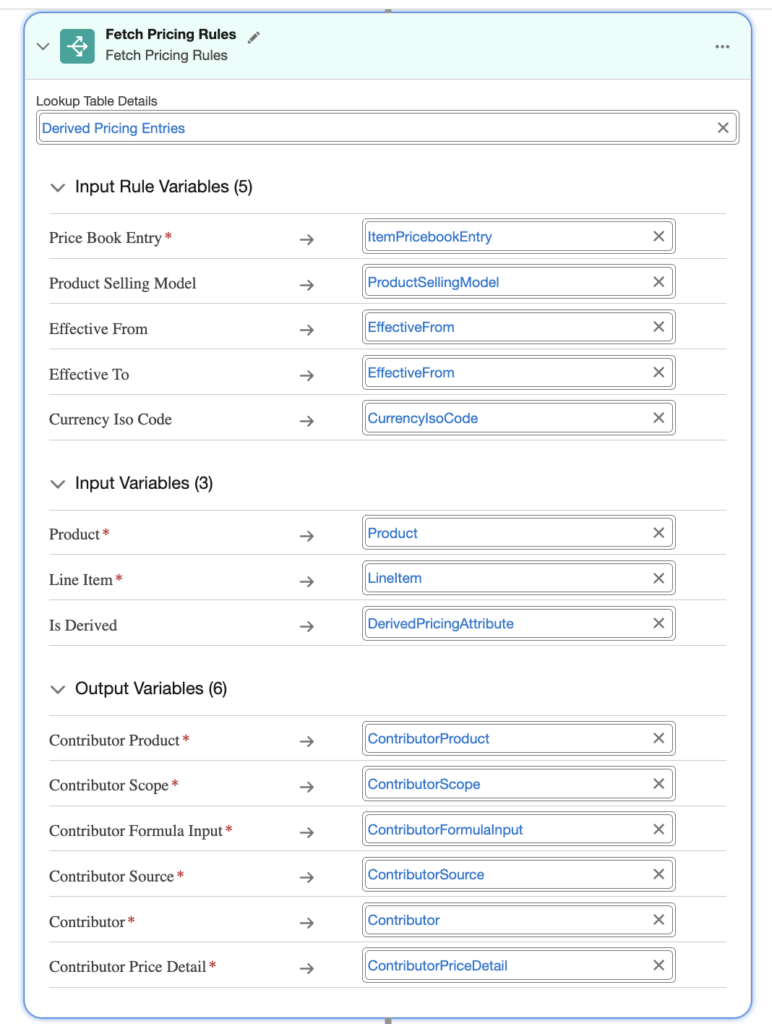
To enable the price calculation on the quote we have to utilise the Fetch Pricing Rules element in the Discovery Procedure.
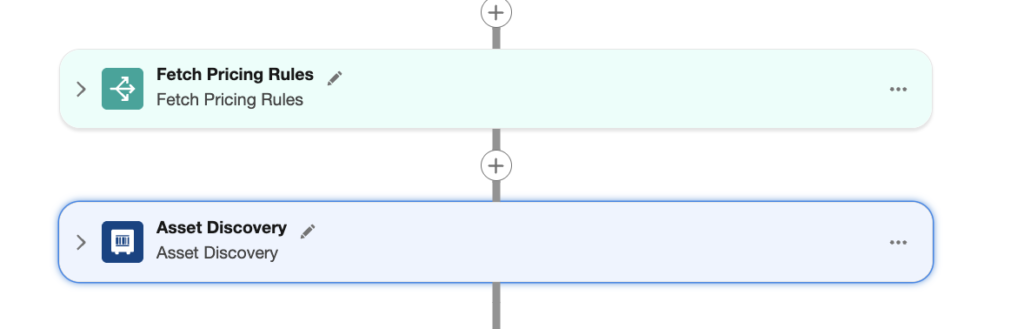
This uses the Derived Pricing Entries lookup table which is synchronised with the Derived Prices object and the record we setup above. This element produces an output referencing the various Contributor tag items as below.
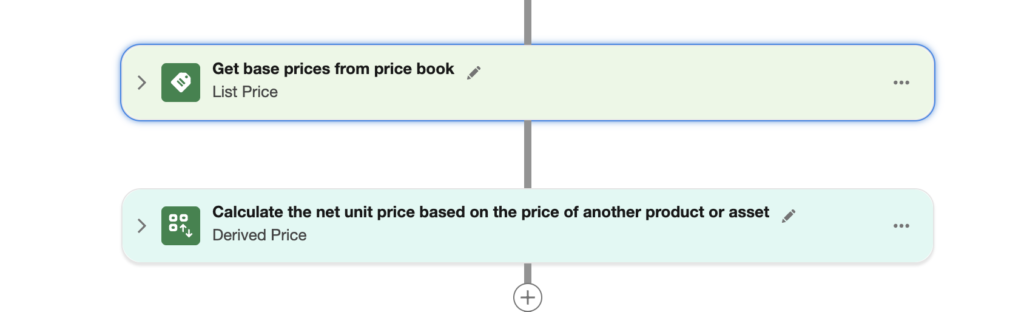
Within the pricing procedure we then reference the Derived Price element following the List Price element.
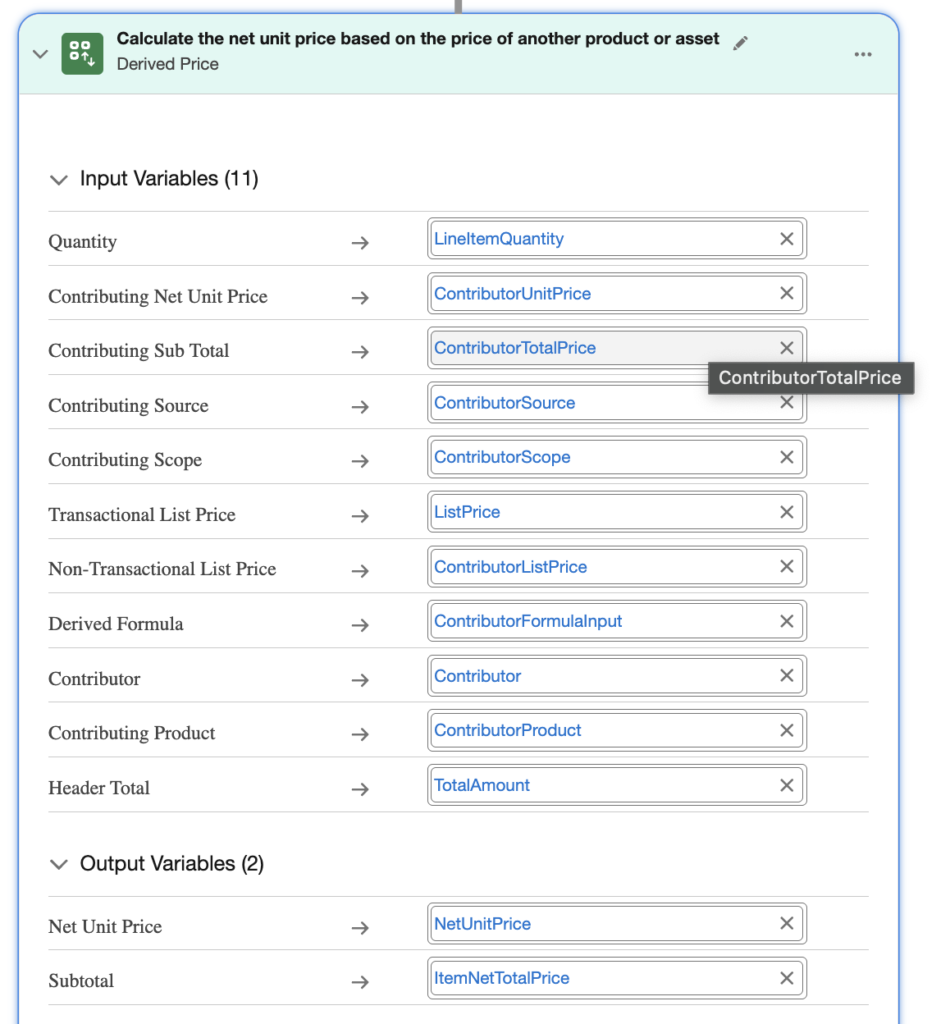
Within the Derived Price element we setup as inputs the Contributer tag items referenced above and the outputs are Net Unit price and Subtotal for the quote line containing the derived pricing product.
Our quote lines now look as follows where we have our Digital Frame product pricing followed by the Support product pricing at 10% of this.

Some additional points to note regarding the flexibility of Derived Pricing within the Pricing Procedure:
- Separate Source products can be configured, each with their own Derived Prices record, which sum up to an associated Derived product price.
- Aggregate Price and Formula Based Pricing elements can be used to produce a custom sum total with a custom calculation which can then be used instead of the simple formula shown above. This exemplifies the flexibility of the Pricing Procedure construct when it comes to calculating custom derived prices.